For agent-manager users
Your coding agents, on one desk.
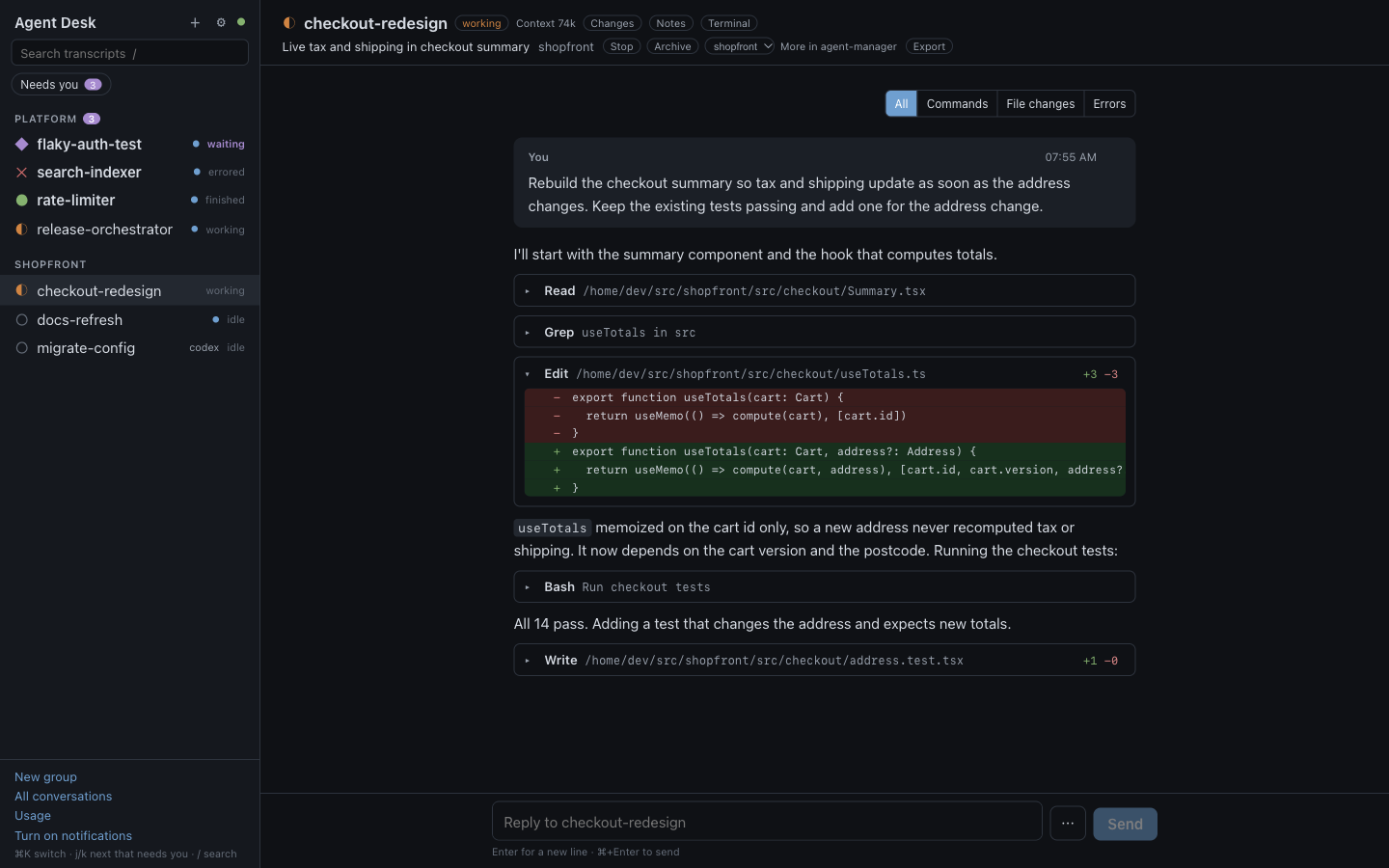
Agent Desk is a local GUI over agent-manager. Every Claude Code session reads as a document. Answer a waiting agent with one click, review its diff and send notes back, and see the whole fleet at a glance. Every agent keeps running in tmux; closing Agent Desk stops nothing.
$ git clone https://github.com/gsperry/agent-desk
Features
Everything an agent needs from you, in one place.
See the whole fleet
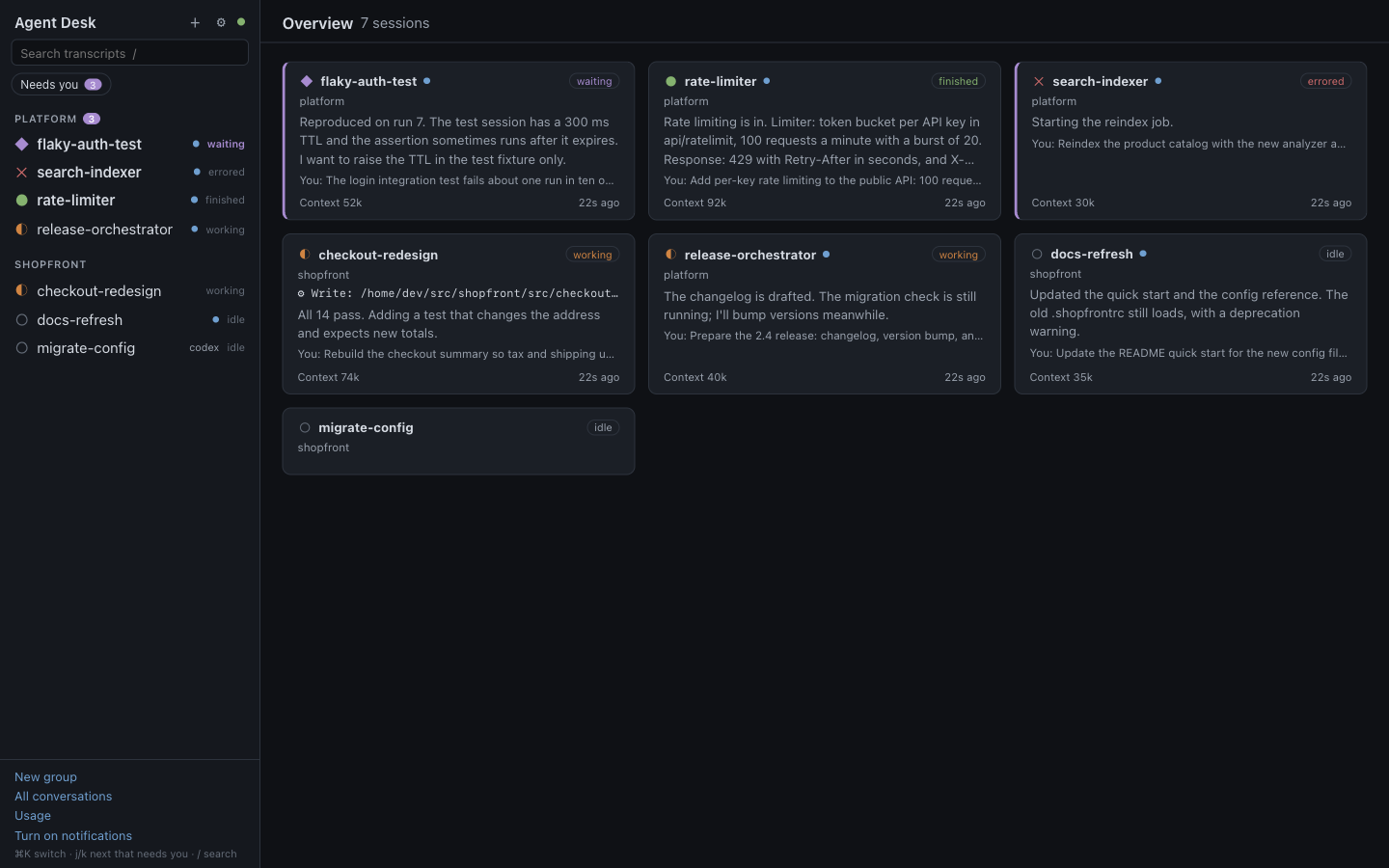
The overview gives every session a card: what it is doing right now, its last reply, your last prompt, context use and when it last changed. Sessions waiting on you come first, and a dot marks anything new since you last looked.
Subagents too: the Agents panel lists every subagent a conversation started, with its own live transcript.
Answer without attaching
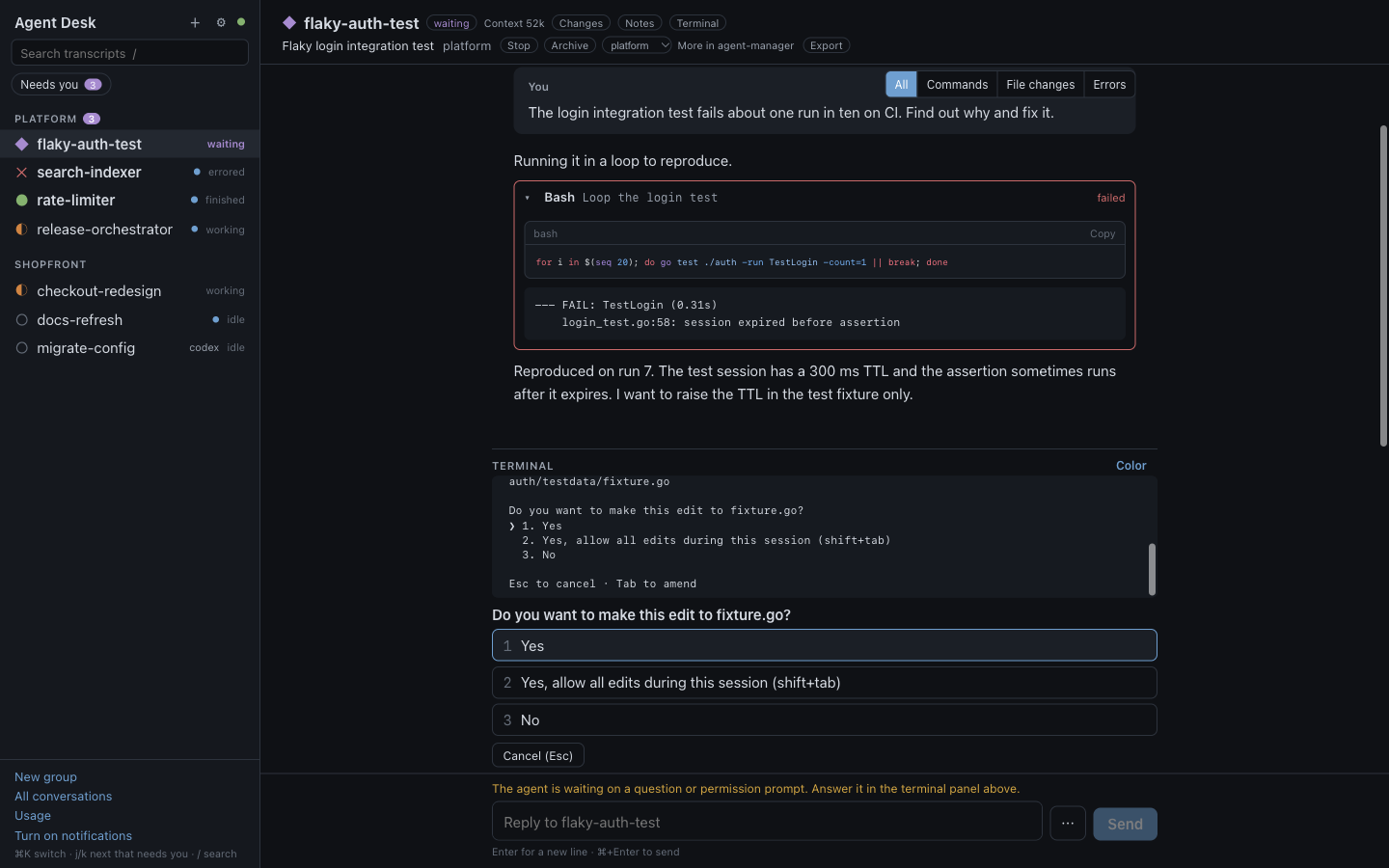
When an agent stops on a permission prompt or a question, the terminal opens under its transcript with a button for each option. Agent Desk reads the screen again before it presses a key, and refuses if the choice changed.
Replies go through agent-manager type, and are refused with a reason when they would land anywhere but the agent's prompt.
Review the diff, send notes back
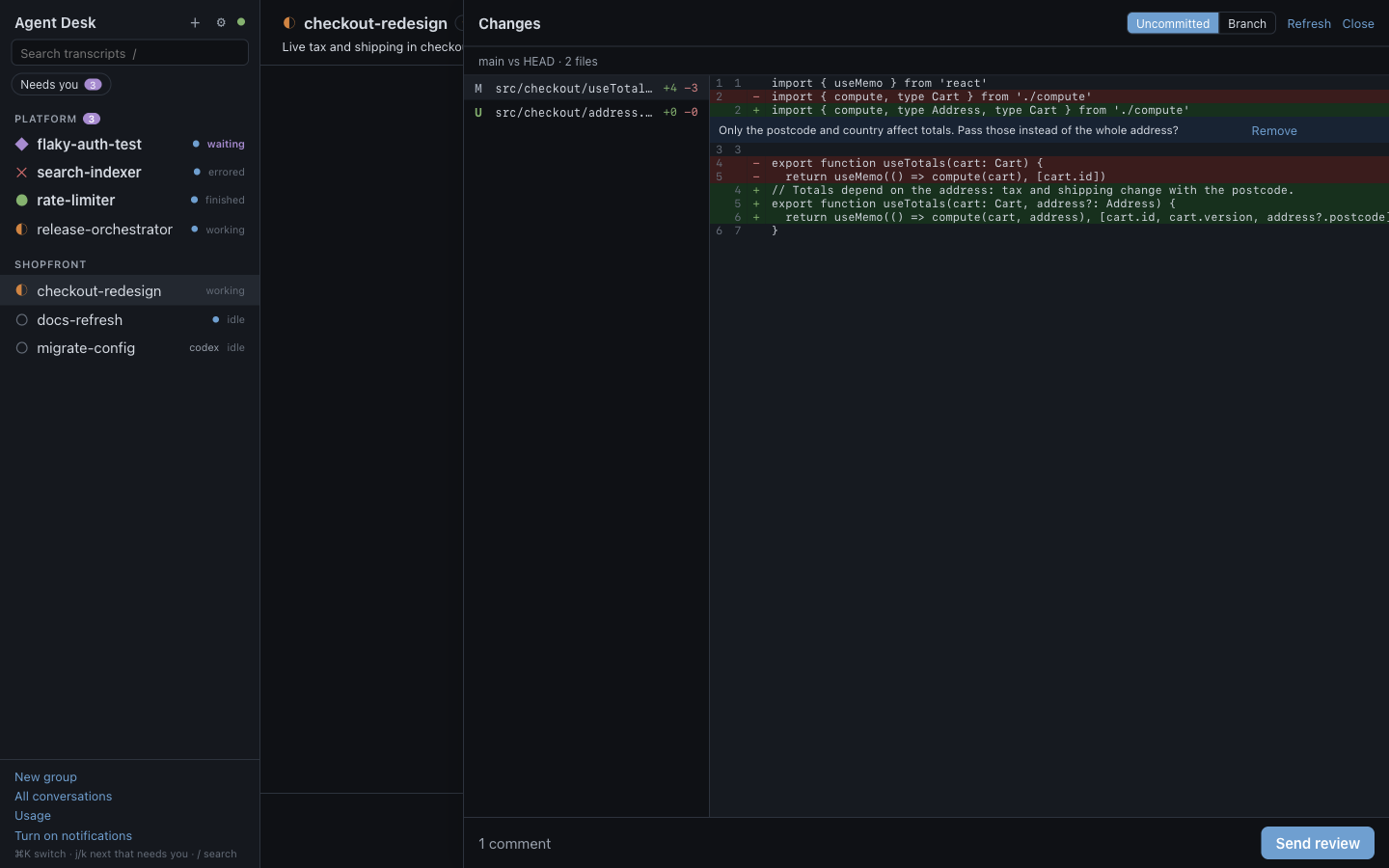
The Changes panel shows a session's git changes, uncommitted or for the whole branch. Click a line to comment; Send review hands the agent every comment as one numbered prompt.
Git runs read-only, with external diff tools, text converters, the repository's filter drivers and hooks disabled, so a repository cannot make it run commands.
History and usage
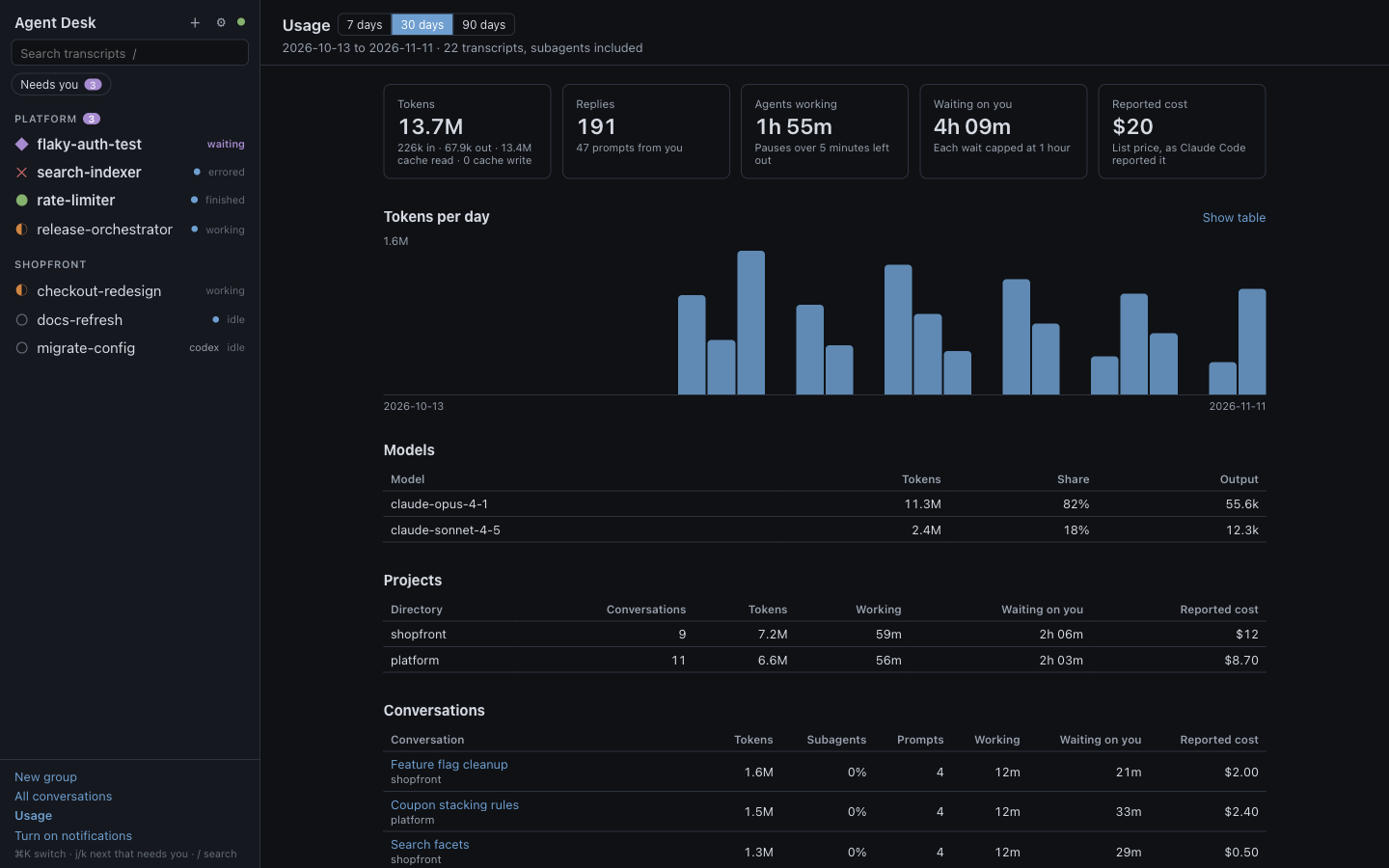
Browse every conversation on disk, not only the running ones, export any of them to Markdown, or resume one as a new agent-manager session. Usage shows tokens, agent working time and time spent waiting on you, by day, model, project and conversation.
Cost is what Claude Code reports, at list price.
- Search every transcript: prompts, replies, thinking and tool output.
- Notifications when a session waits, errors or finishes, and a "needs you" count in the tab.
- Snippets for replies you send often, with
/nameand Tab. - Rules that notify you or suggest a reply when a session reaches a status. You always press Send.
- Pins and notes per conversation, kept in your browser.
- Image paste into the composer, stored owner-only and cleaned after a week.
- Color terminal view of any session, read-only.
- Shell edits shown: files a command changed, with line counts and diffs.
- Catch-up summaries of what happened while you were away, opt-in, through your own Claude Code CLI. They cost tokens.
- Session management: start, stop, revive, archive and move sessions, with templates for new ones.
How it works
agent-manager runs the agents. Agent Desk is where you read and talk to them.
- 01
Sessions stay in agent-manager
Every agent runs in agent-manager's tmux server with your own CLI, login and config. Agent Desk reads session state from
agent-manager snapshotand acts only through its commands. - 02
Transcripts become documents
Claude Code's session files are parsed into prompts, replies, tool calls and diffs, and followed live as the agent writes. Records it does not recognize are shown, never dropped.
- 03
One binary, one port
A Go server with the React app embedded, on 127.0.0.1. Close it and every agent keeps working.
Local and safe
Your agents, your machine, nobody else.
Loopback only
Listens on 127.0.0.1. Every request needs a token that changes on each start, and must name the server's own host; state-changing requests must come from its own origin.
No telemetry
No analytics, no network calls beyond localhost. This page has none either.
No API keys
Agent Desk never asks for a key and never calls a model API. Optional catch-up summaries, off by default, run your own Claude Code CLI only when you press the button.
Read-only transcripts
Nothing is ever written under ~/.claude. Agent Desk reads Claude Code's files and runs local CLIs, nothing more.
Install
Build it from source.
You need
- agent-manager 0.48 or later, with tmux
- Claude Code
- Go 1.27 and Node 24 or later, to build
$ git clone https://github.com/gsperry/agent-desk
$ cd agent-desk
$ make build
$ install -m 0755 bin/agent-desk ~/.local/bin/agent-desk
$ agent-desk
Agent Desk listening on http://127.0.0.1:7317
It opens in your browser. Status: early, built and used on macOS; CI also builds and tests on Linux.